Customer Support
Frequently Asked Questions
After purchasing, you will receive a Serial Number. Open up PhotoGrav on your computer, goto the Help->Activate PhotoGrav menu item and it will display your unique Product Key click Activate and your software will be instantly activated. For version 3.1 you will need to copy and paste your activation code back to the PhotoGrav app.
Your license allows for a specific number of active devices (standard is 2 machines per license). To move your software to a new PC, you must first Deactivate it on the old computer. If connected to the internet deactivation will be automatic otherwise the software will generate a short "Proof of Deactivation" code. Please send this code to our support team so we can securely free up your activation slot for your new machine. To deactivate version 3.1 you will need to go here Deactivate 3.1
If you have lost your Serial Number, please use the contact form on this page. Provide the Company Name, Email Address, or Phone Number used during the original checkout process, and our support staff will retrieve your license information from our secure database.
Currently PhotoGrav 3.2 supports the following languages: English, German, Dutch, Japanese, Italian, Portuguese, French, Korean, Spanish, Chinese and Russian.
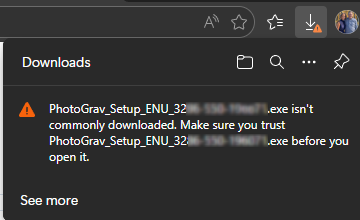
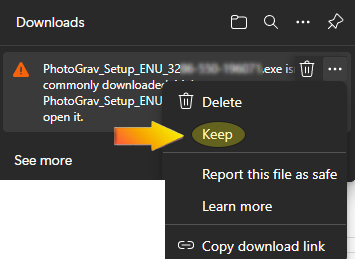
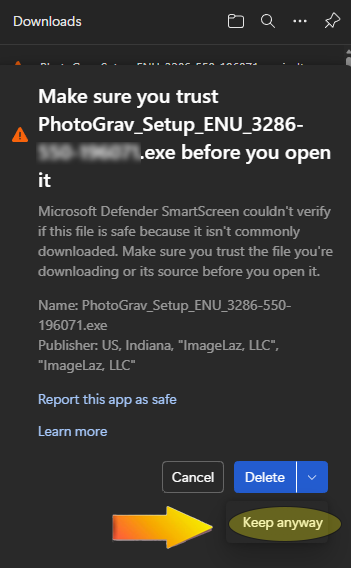
If you see a warning sign on your downloaded software just select "Keep" and "Keep Anyway" as shown in these images...
Contact PhotoGrav
Fill out the form below and we will get back to you as soon as possible.